A better mouse trap - issues with a Logitech Wireless Marathon Mouse M705
The Wonderful Logitech Wireless Marathon Mouse M705
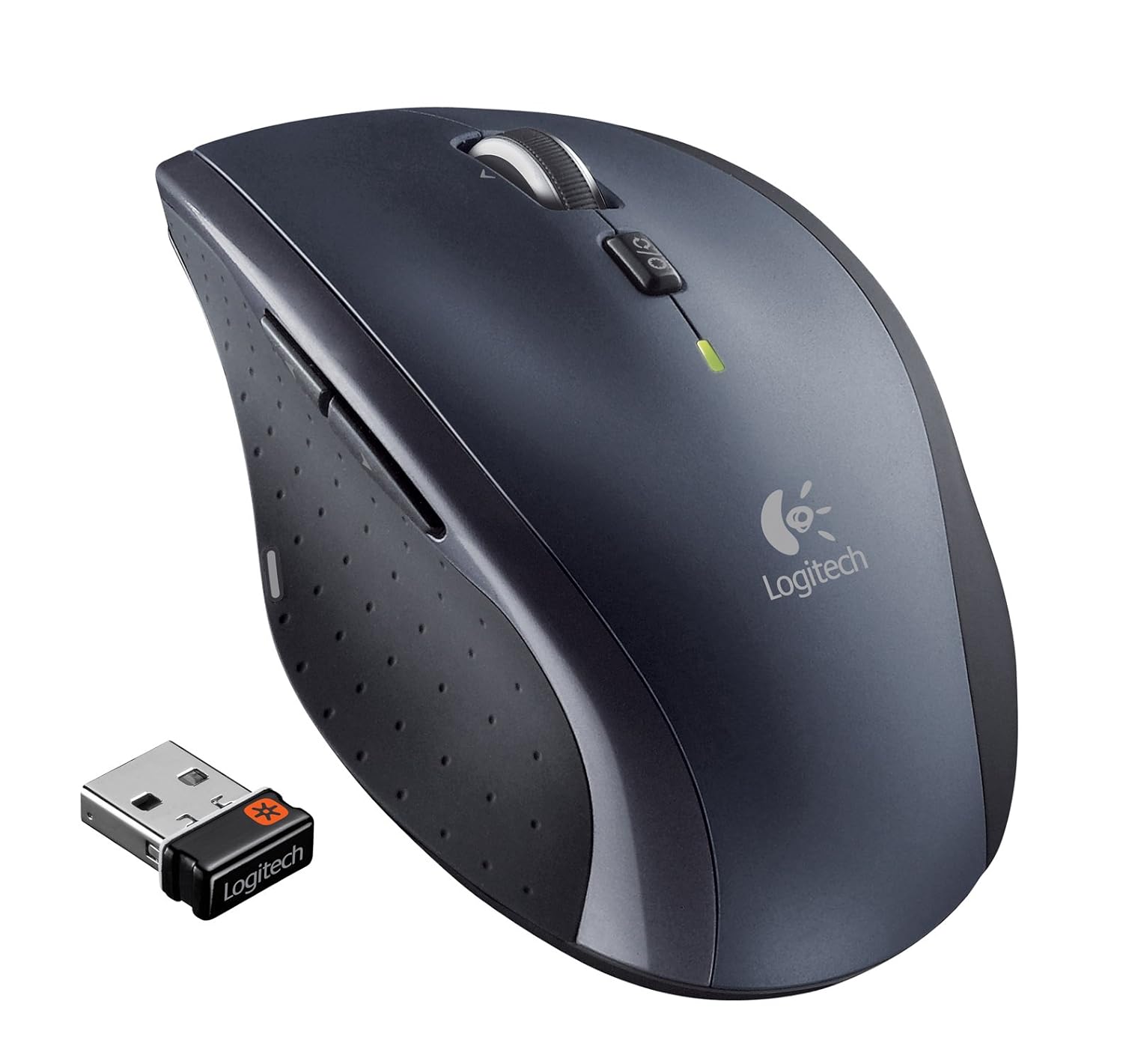
After it arrived and I installed it, I still wasn't sure how I liked it. You can spin the wheel and it just goes and goes. A co-worker of mine tried it and he instantly liked it.
I have a similar looking Logitech mouse at home, but it's older and doesn't have the free-wheeling wheel. It has a "ratcheting" wheel like most mice. I found that, after a week or two of having the M705 at work, I was trying to use the hyper-fast scrolling at home and had got to where I decided I needed another M705 at home. I really like the way it handles!
A new mouse in my house
I ordered a second copy from Amazon for about $20. Note that the Amazon price fluctuates. As I'm writing this, the price on Amazon is $27.42. Also note that I had gone to Staples across the street from my office and they wanted $49 for it.When my 2nd copy arrived, I tried installing it but it wouldn't install. I have Windows 7 on both my work and home PCs so I knew it should work at home. I contacted Logitech support and went back and forth with them for 4 days. I will say that they were responsive, but the last email I received suggested I try things that I'd already tried and if that didn't work I should contact my PC manufacturer.
Today, Saturday, 5/20/2017, I decided I'd make another push at getting it installed. I had woke up early and started on it at about 4:00 AM (probably indicates some nerd tendencies). It's now 10:05 AM and I'm happy to report that I've got it working.
Driving me crazy
The issue was that the drivers wouldn't install. I tried many things and found many suggestions online such as trying different USB ports, displaying and uninstalling old and unused drivers attached to my USB ports, etc.I had a suspicion that there must be a different driver configuration on my work PC than my home PC but I could not figure out what the actual driver was that needed to be update. Finally I ran across a web page that provided the answer and I want to make sure they get credit:
Driver Easy
https://www.drivereasy.com/knowledge/fixed-logitech-mouse-no-unifying-receiver-detected-or-found-in-windows-7/They had the answer to my problem. The mouse requires "C:\Windows\inf\usb.PNF and C:\Windows\inf\usb.inf" files which were not on my home PC at all. I grabbed them from my work PC, pasted them into my home PC, updated the driver for the failing USB Receiver device in Device Manager, switched the mouse off and then back on, and it was up and running!
Thank you Driver Easy!
Logitech Support Feedback
I had opened my email to get the drivers I'd emailed to myself and saw a request for feedback about their service. Here's my reply:
Hi,
I've been battling getting my M705 mouse working on my home PC. This is my second M705; I bought one for my work PC and like it a lot so wanted one at home.
It would not install at home. Both PCs are running Win7. Per the support person's suggestion I tried the home unit on my work PC (both the receiver and mouse) and the unit worked fine.
I provided a number of screenshots showing how the device driver failed to install. The support person eventually gave up and told me to contact my PC manufacturer. The back and forth with the support person occurred from 5/13/2017 to 5/17/2017.
Today, 5/20/2017, I continued my own research into the issue. It was clear it was a driver issue. I believed there was likely a driver or updated driver on my work PC that wasn't on my home PC but Windows Update didn't detect it, nor did the Logitech Unify software.
I found a website, DriverEasy, that had the answer:
https://www.drivereasy.com/knowledge/fixed-logitech-mouse-no-unifying-receiver-detected-or-found-in-windows-7/
My home PC did not have the 2 C:\Windows\inf\usb.PNF and C:\Windows\inf\usb.inf files.
I was able to VPN to my work PC, I found that it the files so I zipped them and emailed them to myself. I pasted the 2 files into my home PC, went to Device Manager where the USB Receiver was displayed with an error condition, did a driver update, and now my mouse works.
Thanks for letting me solve the problem. You're welcome for a solution, and you should thank the DriverEasy folks.
I am NOT affiliated with DriverEasy. I AM a bit perturbed that Logitech didn't have the solution available from your support center or better yet in your software.
Randy Morter


Comments
Post a Comment